

Find anything
Choose the search icon at the top right, or press Ctrl+K (⌘K on a Mac), and start typing.
Results come in groups. Pages and settings appear as you type. Your records follow a moment later, below them, so nothing you’re about to choose moves:
- Clients and Projects, by name, contact or project code
- Invoices, by number, customer or subject. Typing
214finds invoice KFS-214. - Expenses, by note or category
- Time, by note
- Tasks and People, by name
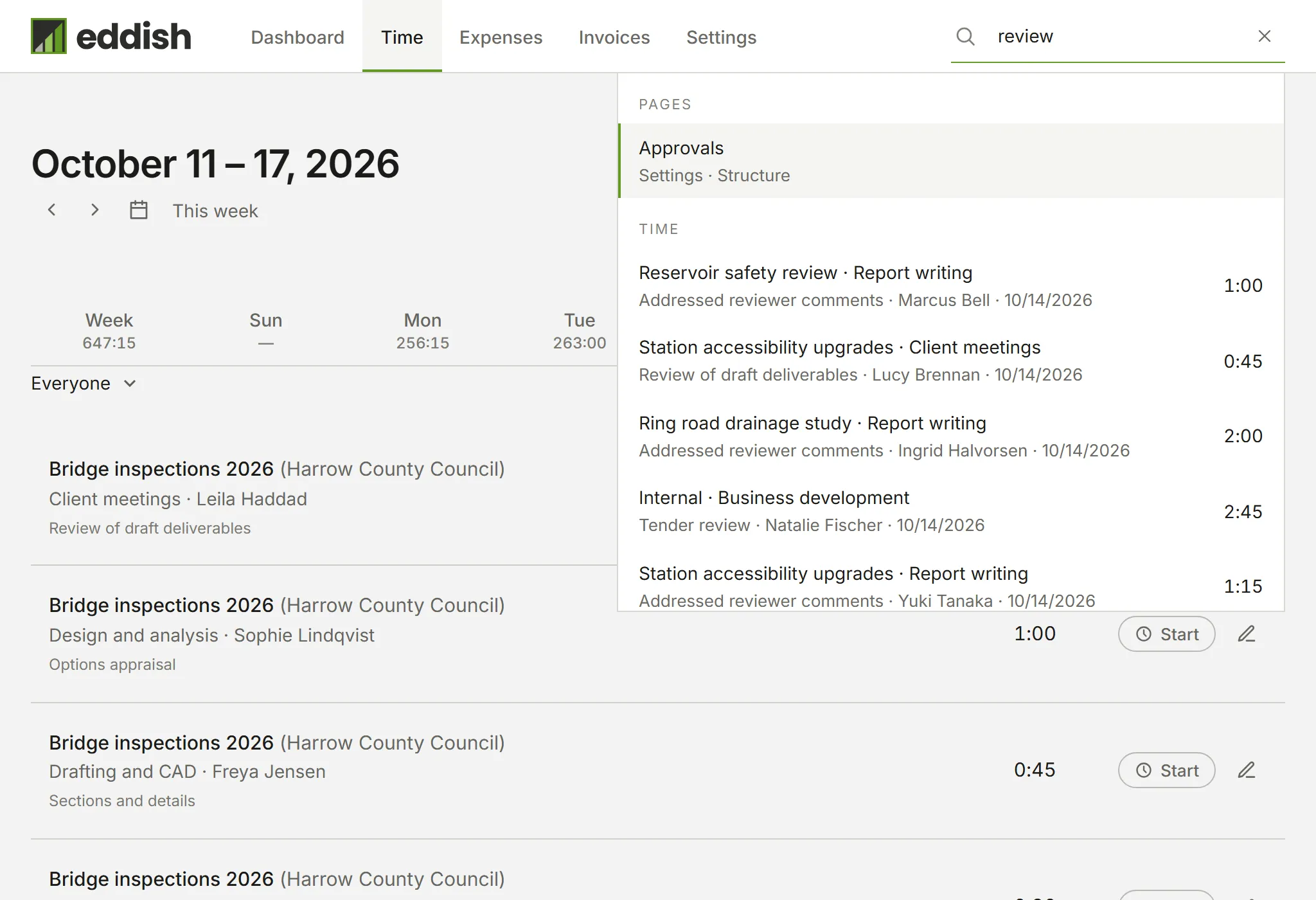
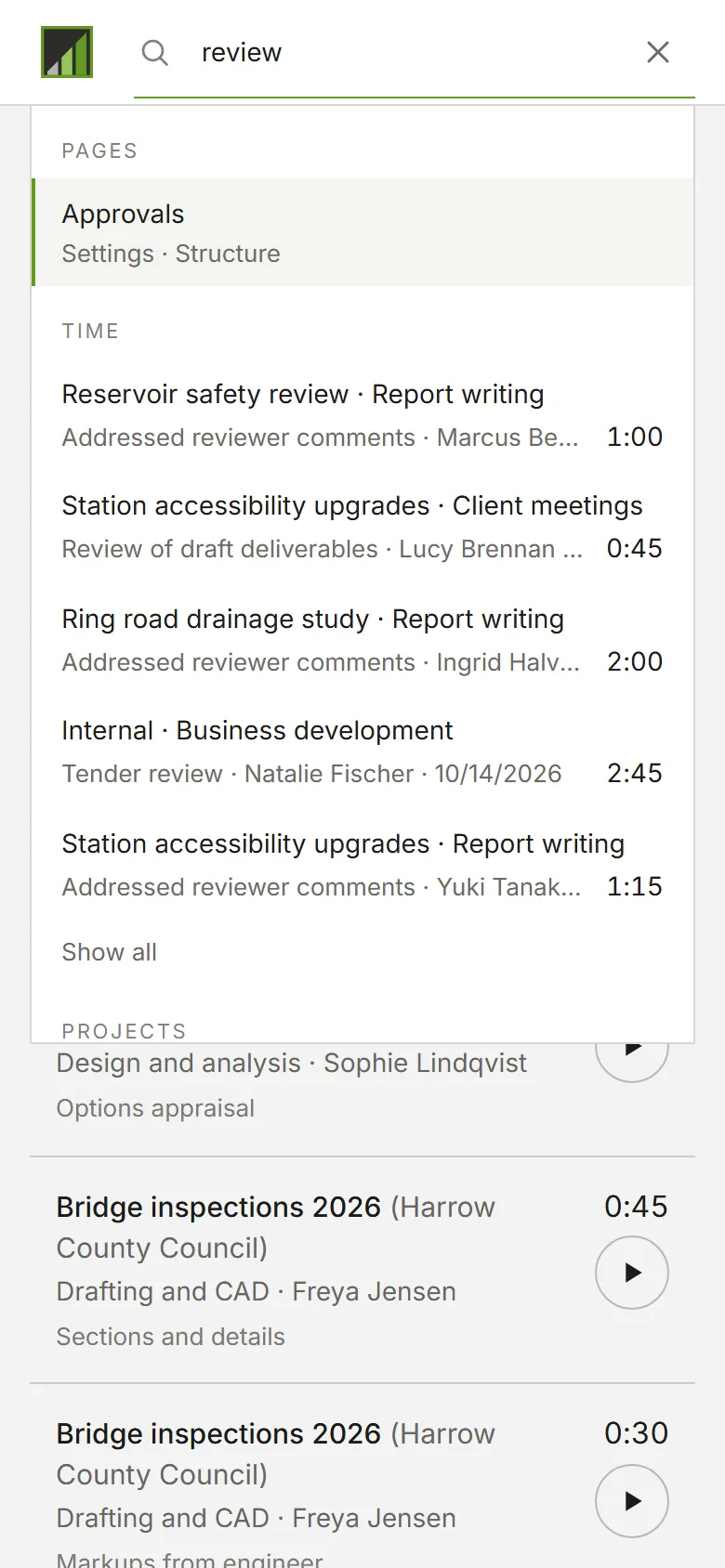
Only what you can open is listed: search never shows a page or a kind of record your role doesn’t let you see.
As a Member, that means your own time and expenses.
Search ignores capitals and accents, so cafe finds Café, and the last word you type can be the start of one:
north finds Northwind. On the page you’re on, its own kind of record comes first: on Invoices, invoices lead.
Opening a result
Section titled “Opening a result”Use the arrow keys and Enter, or click. A record opens where it lives: an invoice on its own page, a time entry on its day in Time, an expense in its panel.
Each group shows five results. When there are more, Show all opens the list already filtered by what you typed. For time entries that’s the Detailed Time report, over the dates the matches cover. For expenses it opens Expenses on the year the matches fall in, or on All years when they span more than one.
A time or expense result names the person it belongs to, beside its date, when you can see everyone’s time and expenses. As a Member you only see your own, so no name is shown.
On a list such as Clients or Expenses, the first result is Filter this list by what you typed, which filters the page you’re on instead of leaving it.
Closing and coming back
Section titled “Closing and coming back”Esc or a click outside closes the panel. What you typed stays: open search again and the same results are there, refreshed. The × in the field clears it.
The settings page has its own Search sections field, which filters the settings list in place.