

Import from Harvest
This isn’t in your Settings: only the account’s Owners open it.
Settings → Import copies your Harvest history into Eddish: people, clients, projects, tasks, expense categories, estimates, expenses, time entries and invoices, with each expense’s receipt and each invoice’s original PDF.
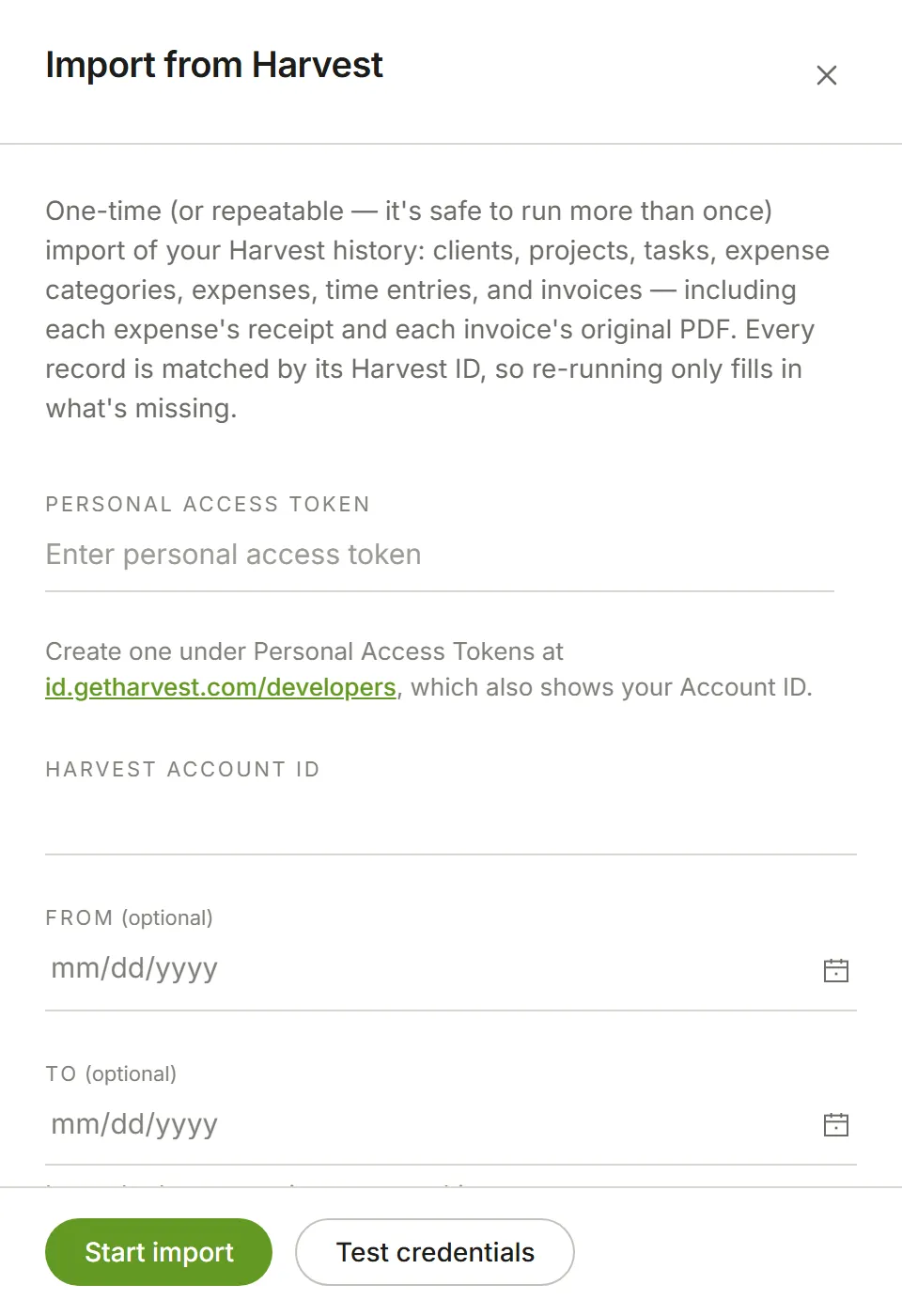
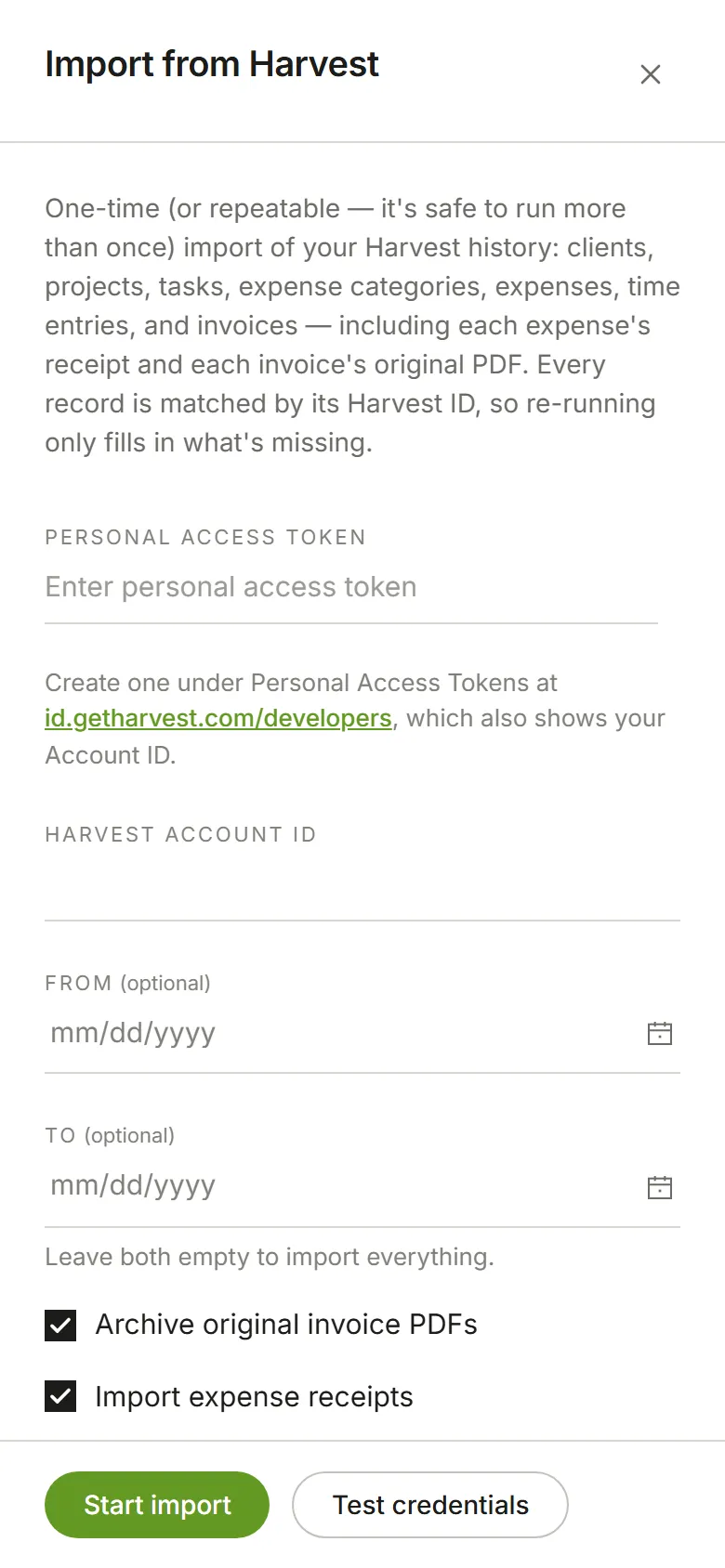
You need a Personal Access Token and your Harvest Account ID. Create the token under Personal Access Tokens at id.getharvest.com/developers, which also shows your Account ID. You can limit the import to a date range.
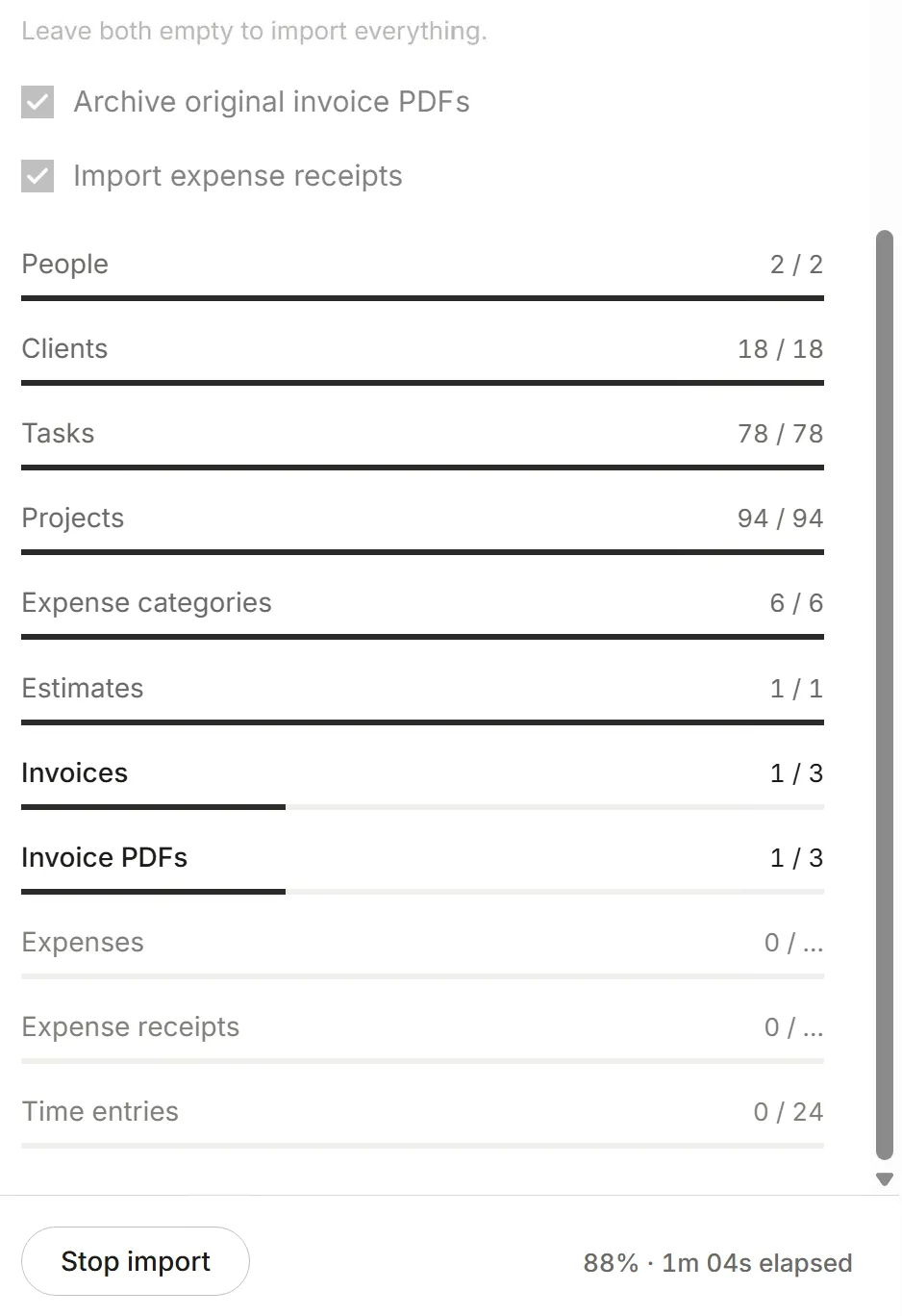
While it runs, each kind of record has its own row, filling in as it comes across. You can close the panel; the import carries on.
Whose time is whose. A person in Harvest with the same email address as someone in your Eddish account is that person here. Anyone else comes across the way someone who has left your account looks: their time and expenses stay theirs, with their rates and the projects they’re on, and reports show their name, but they aren’t on your team and don’t take a seat. If they join later, run the import again and everything moves to their account. Harvest only shares its people with a Harvest Administrator’s token; with any other token, time and expenses are imported as yours.
Estimates come across with their line items and are kept for when Eddish shows estimates. You won’t see them anywhere yet.
It’s safe to run more than once. Every record is matched by its Harvest ID, so running it again only fills in what’s missing.
Importing needs the free trial or the paid plan. On Free, which limits clients, projects and tasks, the import says so and doesn’t start: change plan first.